Faculty Office Hours | Mastering Cohort Management & Onboarding Workflows
July 16, 2026
For Current ScholarRx Institutional Partners
This Faculty Office Hours replay is intended for cohort managers, administrators, and faculty supporting ScholarRx implementations during the 2026–2027 academic year.
A successful onboarding experience begins long before students log in. In this Faculty Office Hours session, ScholarRx shares practical strategies and proven workflows to help cohort managers efficiently onboard students and faculty while minimizing common support challenges throughout the academic year.
Designed for institutional administrators, cohort managers, program coordinators, and faculty support teams, this session demonstrates how to manage cohorts, distribute onboarding links, and guide users through the account creation process across a variety of institutional workflows, including both Single Sign-On (SSO) and non-SSO environments.
Through platform demonstrations, real-world scenarios, and interactive discussion, participants learn how to streamline onboarding, reduce friction during implementation, and support learners at every stage of the onboarding process. The session also includes practical tips, lessons learned, and best practices shared by experienced ScholarRx users.
Whether you’re welcoming a new cohort, onboarding faculty, or refining your institution’s existing workflows during the 2026–2027 academic year, this session provides actionable guidance to help ensure a smooth and successful implementation.
Explore More Webinars
-
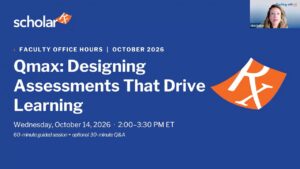
ScholarRx Office Hours: Engaging Students Through Assessment with Qmax Discover how to make the most of ScholarRx’s assessment tools in this hands-on Office Hours session led by Nikki Dalton. Learn how to find relevant Qmax questions, organize and collaborate on question pools, create and assign assessments, and track student learning.…
-
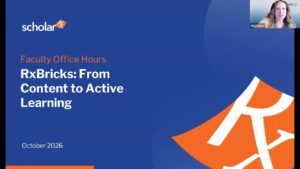
Discover how to turn educational content into engaging, active learning experiences with Rx Bricks. In this hands-on ScholarRx Office Hours session, Nikki Dalton demonstrates how faculty can find, share, customize, and create Bricks to support their teaching. Learn how to organize content using Brick Lists, adapt existing Bricks to meet course objectives, and use TAI (Teaching with AI) to streamline content creation. The session also explores practical ways to increase student engagement, support flipped classrooms, and save faculty time.
-
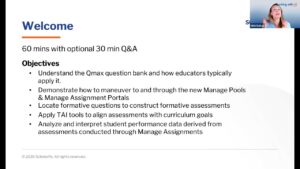
Explore practical Qmax workflows for building, managing, and analyzing formative assessments, including faculty tools, assessment insights, and TAI-assisted question creation.