Office Hours | Rx Bricks: From Content to Active Learning
November 5, 2026
How can medical educators turn existing teaching materials into engaging, interactive learning experiences?
In this ScholarRx Faculty Office Hours session, Nikki Dalton, Partner Account Manager at ScholarRx, explores practical ways to use Rx Bricks to support active learning, organize course content, and create more flexible learning experiences.
Designed for current ScholarRx faculty users, this session demonstrates how to find, customize, create, and share Bricks while integrating them into existing teaching and curriculum workflows.
What You’ll Learn
During this session, you’ll explore how to:
- Find and organize learning content: Browse the Rx Brick Exchange and create Brick Lists that align with your curriculum and learning objectives.
- Assign Bricks and monitor engagement: Share learning materials with students and use faculty tools to review student participation and progress.
- Customize existing content: Clone and adapt Bricks to better support your course objectives and learners.
- Create interactive learning experiences: Use Bricks Create to transform existing teaching materials into structured, interactive lessons.
- Explore AI-assisted content development: Discover how TAI (Teaching with Artificial Intelligence) can support the development of learning objectives, outlines, questions, and other instructional content while maintaining faculty oversight.
- Collaborate and share: Work with colleagues to review, refine, and publish educational content through the Brick Exchange.
The session also explores practical approaches to faculty review, curriculum alignment, and incorporating interactive learning materials into existing teaching workflows.
Whether you’re new to Rx Bricks or looking to expand how you use them, this replay provides actionable guidance for creating more engaging learning experiences.
Continue Exploring Rx Bricks
Ready to put these workflows into practice?
Start with our Introductory Rx Bricks Collection to review essential tools and workflows.
Interested in creating content with AI? Learn more about TAI and its faculty-led approach to curriculum development or explore the latest Bricks Create enhancements.
Explore More Webinars
-
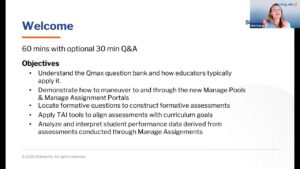
ScholarRx Office Hours: Engaging Students Through Assessment with Qmax Discover how to make the most of ScholarRx’s assessment tools in this hands-on Office Hours session led by Nikki Dalton. Learn how to find relevant Qmax questions, organize and collaborate on question pools, create and assign assessments, and track student learning.…
-
Discover how to turn educational content into engaging, active learning experiences with Rx Bricks. In this hands-on ScholarRx Office Hours session, Nikki Dalton demonstrates how faculty can find, share, customize, and create Bricks to support their teaching. Learn how to organize content using Brick Lists, adapt existing Bricks to meet course objectives, and use TAI (Teaching with AI) to streamline content creation. The session also explores practical ways to increase student engagement, support flipped classrooms, and save faculty time.
-
Explore practical Qmax workflows for building, managing, and analyzing formative assessments, including faculty tools, assessment insights, and TAI-assisted question creation.