From Symptoms to Solutions: Teaching Clinical Reasoning with Clinical Bricks
June 26, 2026
Clinical reasoning is one of the most important—and challenging—skills for health professions students to develop. In this InsideRx webinar, ScholarRx demonstrates how Clinical Bricks use patient-centered clinical presentations and structured reasoning frameworks to help learners move from chief complaint to diagnosis while reinforcing the foundational science behind clinical decision-making.
Whether you’re looking to introduce clinical reasoning earlier in the curriculum or strengthen students’ diagnostic thinking before clerkships, this session explores practical strategies for helping students think more like clinicians.
In this webinar, you’ll learn how to:
- Introduce clinical reasoning earlier in the curriculum
- Bridge foundational science and clinical decision-making
- Use patient-centered presentations to develop diagnostic reasoning
- Help students connect symptoms, underlying science, and differential diagnoses
- Better prepare learners for clinical practice through structured reasoning frameworks
To explore examples of Clinical Bricks and patient-centered presentations featured in this webinar, visit the ScholarRx Exchange Clinical Presentations collection:
https://exchange.scholarrx.com/clinical/presentations
Ready to bring clinical reasoning into your curriculum?
Schedule a conversation with our Academic Solutions team to learn how Clinical Bricks can support your educational goals.
Explore More Webinars
-
ScholarRx Office Hours: Engaging Students Through Assessment with Qmax Discover how to make the most of ScholarRx’s assessment tools in this hands-on Office Hours session led by Nikki Dalton. Learn how to find relevant Qmax questions, organize and collaborate on question pools, create and assign assessments, and track student learning.…
-
Discover how to turn educational content into engaging, active learning experiences with Rx Bricks. In this hands-on ScholarRx Office Hours session, Nikki Dalton demonstrates how faculty can find, share, customize, and create Bricks to support their teaching. Learn how to organize content using Brick Lists, adapt existing Bricks to meet course objectives, and use TAI (Teaching with AI) to streamline content creation. The session also explores practical ways to increase student engagement, support flipped classrooms, and save faculty time.
-
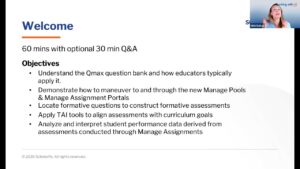
Explore practical Qmax workflows for building, managing, and analyzing formative assessments, including faculty tools, assessment insights, and TAI-assisted question creation.