Office Hours | Rx Bricks: Practical Workflows for Active Learning
August 19, 2026
Rx Bricks are short, interactive learning experiences designed to help faculty incorporate active learning into their curricula while giving learners opportunities to engage with content and assess their understanding.
In this Faculty Office Hours session, the ScholarRx team walks through practical workflows for using Rx Bricks throughout the teaching process, from finding and organizing existing content to assigning Bricks, monitoring student engagement, and adapting resources to fit specific course goals.
Faculty also explore how to customize existing Bricks and create new learning experiences with TAI (Teaching with AI), as well as strategies for collaborating and co-authoring content with colleagues. Guided demonstrations show how these tools can support curricular flexibility while helping educators make effective use of existing resources.
Whether you’re getting started with Rx Bricks or looking to expand how you use them in your curriculum, this replay provides practical guidance you can return to throughout the 2026–2027 academic year.
Explore More Webinars
-
ScholarRx Office Hours: Engaging Students Through Assessment with Qmax Discover how to make the most of ScholarRx’s assessment tools in this hands-on Office Hours session led by Nikki Dalton. Learn how to find relevant Qmax questions, organize and collaborate on question pools, create and assign assessments, and track student learning.…
-
Discover how to turn educational content into engaging, active learning experiences with Rx Bricks. In this hands-on ScholarRx Office Hours session, Nikki Dalton demonstrates how faculty can find, share, customize, and create Bricks to support their teaching. Learn how to organize content using Brick Lists, adapt existing Bricks to meet course objectives, and use TAI (Teaching with AI) to streamline content creation. The session also explores practical ways to increase student engagement, support flipped classrooms, and save faculty time.
-
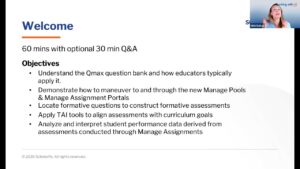
Explore practical Qmax workflows for building, managing, and analyzing formative assessments, including faculty tools, assessment insights, and TAI-assisted question creation.