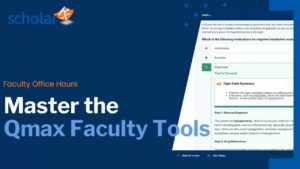
Office Hours | Qmax: Designing Assessments That Drive Learning
September 23, 2026
Formative assessment can do more than measure what students know. Used effectively, it can help faculty identify learning gaps, reinforce understanding, provide meaningful feedback, and use assessment insights to support future learning.
In this Faculty Office Hours session, the ScholarRx team explores practical ways to use Qmax to build, manage, and analyze formative assessments more efficiently.
Designed for current ScholarRx faculty users, the session walks through Qmax tools and workflows including Manage Assignments, Manage Pools, Test Retakes, Auto Close, Time Accommodations, and Question Search. Faculty also explore the Manage Assignments & Manage Pools Dashboard and ways these tools can support more flexible and efficient assessment workflows.
The session also demonstrates how TAI (Teaching with Artificial Intelligence) can support faculty in developing assessment questions aligned with their curriculum while keeping faculty oversight and review at the center of the process.
Throughout the session, faculty explore practical approaches to:
- Build and manage formative assessments
- Organize questions and assessment content with Manage Pools
- Adapt assessment settings for different learner and course needs
- Find relevant questions more efficiently
- Develop curriculum-aligned questions with TAI
- Analyze assessment results to identify learning gaps and inform instruction
- Incorporate Qmax into existing assessment workflows
Like all ScholarRx Faculty Office Hours, this session is designed to be practical and collaborative, with opportunities for faculty to ask questions, discuss challenges, and learn from the experiences of other educators.
Whether you’re getting started with Qmax or refining an existing assessment workflow, this replay provides practical guidance for making assessment more efficient, adaptable, and focused on supporting learning.
Continue Exploring Qmax
New to Qmax or want a refresher?
View the introductory Qmax Bricks
You can also explore our resource on Manage Pools to learn more about organizing questions and building assessments in ScholarRx.
Explore More Webinars
-
In this InsideRx session, Dr. Tao Le leads a live, hands-on workshop exploring how educators can use TAI (Teaching with AI) and Bricks Create to transform existing course materials into structured, interactive learning experiences. Built around real educator workflows, this session demonstrates how to take slides, notes, or transcripts and…
-
In this interactive Office Hours session, we walk faculty through everything they need to confidently use ScholarRx Bricks, from discovery to customization to full creation. We begin with a quick overview of what Bricks are: a library of 900+ concise, engaging medical education modules designed with a standardized structure to…
-
Formative assessments play a critical role in promoting active learning and strengthening clinical reasoning in medical education. In this session, faculty explore how board-style questions paired with immediate feedback can deepen understanding, identify learning gaps early, and support more effective, self-directed learning. This webinar introduces the latest enhancements to ScholarRx’s…